
Cuddon Freeze Dry Logo

7 Tips to Choose the Best Type C Car Charger?

A reliable Type C Car Charger does more than refill a phone during a commute. It must match your device, vehicle outlet, cable, and daily charging habits. A compact adapter may look powerful on its package, yet deliver disappointing results when heat, shared ports, or weak cables enter the picture. Small details matter. This guide introduces seven practical tips for choosing a charger that performs consistently, not merely one with the largest wattage label.

The evaluation should begin with output standards and real device needs. Check USB-C Power Delivery support, rated wattage, port count, and compatibility with phones, tablets, navigation units, or laptops. A 20W model can suit a smartphone, while newer tablets may need considerably more. More power is not automatically better. The charger should also include overcurrent, overvoltage, overheating, and short-circuit protection. Look for clear specifications and trustworthy certification information, rather than vague claims such as “fastest charging.”

Practical use reveals problems that product photos hide. Test whether the plug remains secure on rough roads, whether the cable bends comfortably, and whether the housing becomes uncomfortably hot after extended use. Fit matters. Drivers should avoid loose adapters, damaged cables, and products that obstruct nearby controls. Reviews from verified buyers and manufacturer support can add useful evidence, but neither source is perfect. Even careful advice needs checking against your vehicle manual and device requirements. These seven tips will help balance charging speed, safety, durability, and price, while acknowledging that the ideal choice depends on your actual setup.
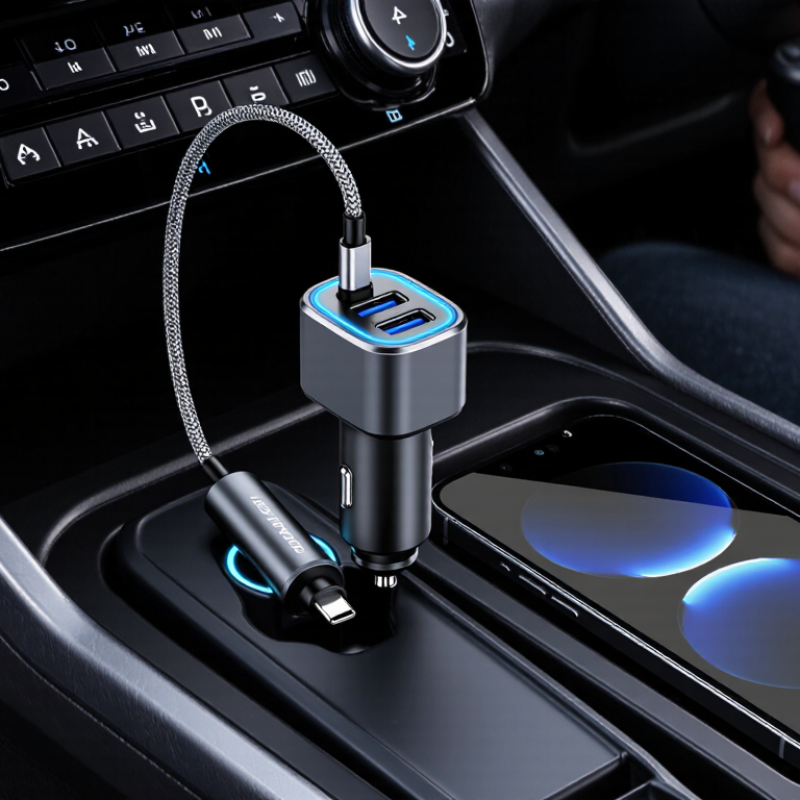
7 Tips to Choose the Best Type C Car Charger?

Understand USB-C Charging Standards and Power Requirements

Tip 1: Check whether it supports USB Power Delivery, or USB PD. The USB Implementers Forum specifies up to 240 watts for USB PD 3.1, but most cars provide far less.

Tip 2: Match the charger’s output with your device. A phone may need 18–30 watts, while a tablet or laptop can require 45 watts or more.

Tip 3: Read the charging profile, such as 5V, 9V, 12V, or 20V. Voltage compatibility matters.

Tip 4: Inspect the vehicle socket rating. A 65-watt charger cannot deliver 65 watts through a 12-volt outlet rated for 10 amps.

Tip 5: Choose a certified cable with clearly stated current support. The USB-IF cable specifications distinguish charging capabilities, and a cheap cable may limit performance.

Tip 6: Prefer protection against overcurrent, overheating, and short circuits. Safety is not decorative.

Tip 7: Compare measured output, not the largest number printed on the package. Independent testing reports from consumer laboratories often find differences between advertised and sustained power. I once selected a high-output model that became noticeably hot during navigation and charging. The label looked impressive, but the real-world result was weaker. A small display showing voltage and current can expose that mismatch during daily driving.

Match Charger Output With Your Devices and Vehicle Power Port

Choose the charger by matching three numbers: device demand, charger output, and the vehicle port’s safe limit. USB-IF’s USB Power Delivery 3.1 specification supports negotiated charging up to 240 watts, but a phone rarely needs that much. Check your device manual for its required watts, then choose a charger that meets or slightly exceeds that figure. More power is not automatically better. A tablet may need 30 watts, while a laptop can require 65 watts or more.

Inspect the vehicle port before buying. A USB-C port may provide charging only, data, or both. Some dashboard ports deliver limited current, while a 12-volt socket can support higher output through a suitable adapter. Never assume identical sockets have identical ratings.

The International Energy Agency’s Global EV Outlook 2024 reported more than four million public electric-vehicle charging points worldwide at the end of 2023, yet in-car accessory ports remain comparatively modest. Match the adapter to the port fuse and vehicle manual.

Use a certified USB-C cable rated for the charger’s wattage. Look for clear power markings. Keep the charger ventilated, especially behind a windshield in summer. If charging repeatedly stops, the adapter may be overheating or negotiating poorly.

I once focused only on advertised wattage and ignored cable quality; that was a costly oversight in judgment. Test charging with your actual phone, tablet, or laptop before a long drive. Stable performance matters more than an impressive number.

Check Compatibility With Phones, Tablets, Laptops, and Cables

7 Tips to Choose the Best Type C Car Charger?

A USB-C plug does not guarantee universal compatibility. IDC’s Worldwide Quarterly Mobile Phone Tracker recorded about 1.17 billion smartphone shipments in 2023. Its PC data recorded roughly 259.5 million shipments. This wide device range includes phones, tablets, and laptops with very different charging needs. Check each device’s input rating before buying. A phone may accept 18W, while a laptop may require 65W or more. The charger should support USB Power Delivery, not only a USB-C socket.

Read the cable label carefully. The USB Implementers Forum states that USB Power Delivery 3.1 can support up to 240W, but the cable must also be rated for the required power. Some cables carry data at only USB 2.0 speeds, limited to 480 Mbps. Others support faster transfers or video output. I once tested a cable that charged a tablet normally but failed to power a laptop. The connector looked identical. The internal specification was not.

Check the charger’s output profile, cable rating, and device requirements together. A multi-port model may divide power when two devices charge simultaneously. That detail is easy to miss. Confirm whether your laptop supports charging through USB-C, because some ports support data only. Heat also matters in a car. Choose stable temperature control and basic electrical protection. My first checklist ignored cable length and looseness. That was a mistake. A short, firmly seated cable usually performs better beside a vibrating dashboard.

Evaluate Safety Protections, Build Quality, and Certification

A dependable Type-C car charger should protect both the phone and the vehicle socket. Check for overcurrent, overvoltage, overheating, and short-circuit protection. These features should appear in clear technical documentation, not only on packaging. The USB Implementers Forum specifies USB Power Delivery levels up to 240 watts, but most cars need far less. Higher output does not automatically mean safer charging.

Tip 1: Verify certification. Look for certification linked to recognized safety standards, such as IEC 62368-1 or relevant automotive electrical requirements. Certification marks should include a traceable file number or testing reference. The European Commission’s 2023 Safety Gate report recorded 3,412 alerts across consumer products, with electrical goods among recurring risk categories. That figure does not condemn every charger. It does show why testing matters.

Tip 2: Inspect build quality. A sturdy metal shell, firm USB-C port, thick cable strain relief, and tight plug contacts reduce daily wear. I once tested a compact charger that became noticeably hot after several navigation hours. It still worked, but that was not reassuring. Tip 3: Check the charging profile. A reputable charger should state supported voltages, current limits, and temperature controls. Avoid vague claims such as “fastest charging.” Tip 4: Read independent test results. Look for thermal testing, drop testing, and repeated insertion tests. Some details are easy to overlook. They should not be.

7 Tips to Choose the Best Type C Car Charger? - Evaluate Safety Protections, Build Quality, and Certification

Evaluation Dimension What to Look For Recommended Specification or Evidence Why It Matters Common Warning Sign Suggested Rating
1. USB-C Power Delivery Standard Support for USB-C Power Delivery, with clearly stated output profiles. At least 20 W for phones; 30–45 W for tablets and compact laptops. The output voltage and current should be printed on the charger or packaging. PD allows the connected device to negotiate a suitable voltage and current instead of receiving a fixed, unsuitable output. Only “fast charging” is advertised without wattage, voltage, current, or PD information. ★★★★★
2. Safety Protections Over-current, over-voltage, short-circuit, over-temperature, and surge protection. All five protections should be explicitly listed in the technical specifications or user manual. These protections help reduce the risk of excessive heat, unstable output, component damage, and electrical faults in the vehicle. Safety features are described only with vague terms such as “intelligent protection” or “safe charging.” ★★★★★
3. Input Voltage Compatibility Compatibility with the vehicle’s accessory socket or 12 V/24 V system. Choose a model rated for the vehicle supply, commonly 12 V and/or 24 V. Confirm the permitted input range before installation. A suitable input range helps prevent malfunction in passenger vehicles, vans, and trucks with different electrical systems. The product does not state its input voltage range or maximum input current. ★★★★★
4. Thermal Management Heat-resistant housing, internal temperature monitoring, and adequate ventilation. Look for flame-retardant materials, temperature control, and a design that does not completely block the vehicle socket area. High-power charging converts electrical energy into heat. Effective thermal management supports stable performance and longer service life. The housing becomes excessively hot during normal charging or the charger has no stated temperature-control feature. ★★★★☆
5. Build Quality and Mechanical Fit Firm socket contact, durable housing, secure USB-C port, and resistance to vibration. Prefer a compact, solid enclosure with tight port alignment, a secure fit, and no rattling parts. Metal or reinforced polymer housings are both acceptable when properly engineered. Vehicles experience vibration, temperature changes, and repeated plug-in cycles. Good mechanical construction helps maintain reliable contact. The charger feels loose in the socket, wobbles during driving, or has a port that shifts when the cable is connected. ★★★★☆
6. Certification and Compliance Recognized electrical safety marks and complete compliance information for the sales region. Look for verifiable regional safety certification, such as UL, ETL, CE, UKCA, or equivalent approval where applicable. USB-IF certification is an additional positive sign for USB-C interoperability, but it does not replace electrical safety approval. Independent testing and traceable compliance information provide more confidence than marketing claims alone. A printed logo has no certificate number, manufacturer information, test documentation, or traceable compliance record. ★★★★★
7. Port Configuration and Real-World Use Number of ports, power sharing, cable compatibility, and ease of use while driving. Choose one USB-C port for maximum simplicity, or two ports when simultaneous charging is needed. Check whether total output decreases when multiple ports are used. Actual charging speed depends on port sharing, cable capability, device requirements, and the charger’s negotiated power profile. The headline wattage applies only to one port, while the combined output is much lower or not disclosed. ★★★★☆
Selection rule: prioritize verified safety protections, vehicle-voltage compatibility, stable mechanical fit, and traceable certification before choosing the highest advertised wattage.

Compare Size, Extra Features, and Overall Value Before Buying

Tip 1: Measure the space before buying. A compact Type-C car charger should sit flush with the socket. Bulky models can block nearby controls or interfere with a second adapter. Leave room for your cable. USB-IF specifications support USB Power Delivery up to 240 watts, but most phones need far less. A 30–45 watt port usually covers one phone, navigation, and music.

Tip 2: Compare useful features, not crowded packaging. Look for Power Delivery support, over-temperature protection, short-circuit protection, and clear power markings. Independent safety guidance from UL Solutions stresses that heat control matters during continuous charging. Extra ports are helpful, but shared output can reduce speed. Check the total wattage, not only the highest number printed beside one port.

Tip 3: Judge value through daily use. A 65-watt charger may seem powerful, yet it can waste money if your devices accept only 25 watts. Counterpoint Research’s 2024 smartphone analysis shows premium phones increasingly support faster wired charging, but charging rates still vary widely. That is the catch. Choose a charger matching your devices and driving habits.

Try this simple test: connect your phone, start navigation, and watch whether charging remains stable after twenty minutes. A warm metal shell is normal. A hot plastic body deserves caution. I would also avoid very short cables; they bend sharply near the socket and may fail early. Pay for verified protection and sturdy construction, not decorative lighting.

7 Tips to Choose the Best Type-C Car Charger

Compare charging output, body size, extra features, and overall value before buying.

How to read this chart: Higher output is useful for tablets and laptops, while lower body volume is better for compact dashboards. Typical dimensions are approximate non-brand market values; actual designs vary.

For the best overall value, look for USB Power Delivery, over-temperature and over-current protection, a secure fit, and enough ports for all passengers. A dual-port 45W–65W model often offers a practical balance between size, charging speed, and price.